How FrillPick Works
FrillPick allows you to use price sheets from order guides you download from vendors to view side by side comparisons and cost your recipes. Upload a file, confirm which items match, add your recipes, and every plate cost updates when the next price sheet arrives.
$20/month after a 14-day free trial · every feature included · see pricing
FrillPick is built for independent restaurants that buy from more than one distributor and those looking for an accurate menu item costing and recipe tool using prices from one or more vendors. It does two jobs: it shows you what each vendor charges for the same item, and it tells you what each dish on your menu costs to make at today's prices. Here's how it works, one screen at a time.
1. Upload Your Vendors' Price Files
Start with the price file your vendor already gives you: the CSV or Excel export from the Sysco, US Foods, GFS, Performance Food Group or Cheney Brothers ordering portal, or any other distributor's.
- No column mapping. FrillPick reads the columns itself: item number, description, brand, pack, size and price.
- It asks when it isn't sure. If a file looks unfamiliar, FrillPick shows you what it read and waits for you to say it looks right before saving.
- It says when it can't read a file. You get a plain message, never a guess, and you can send us the file to look at.
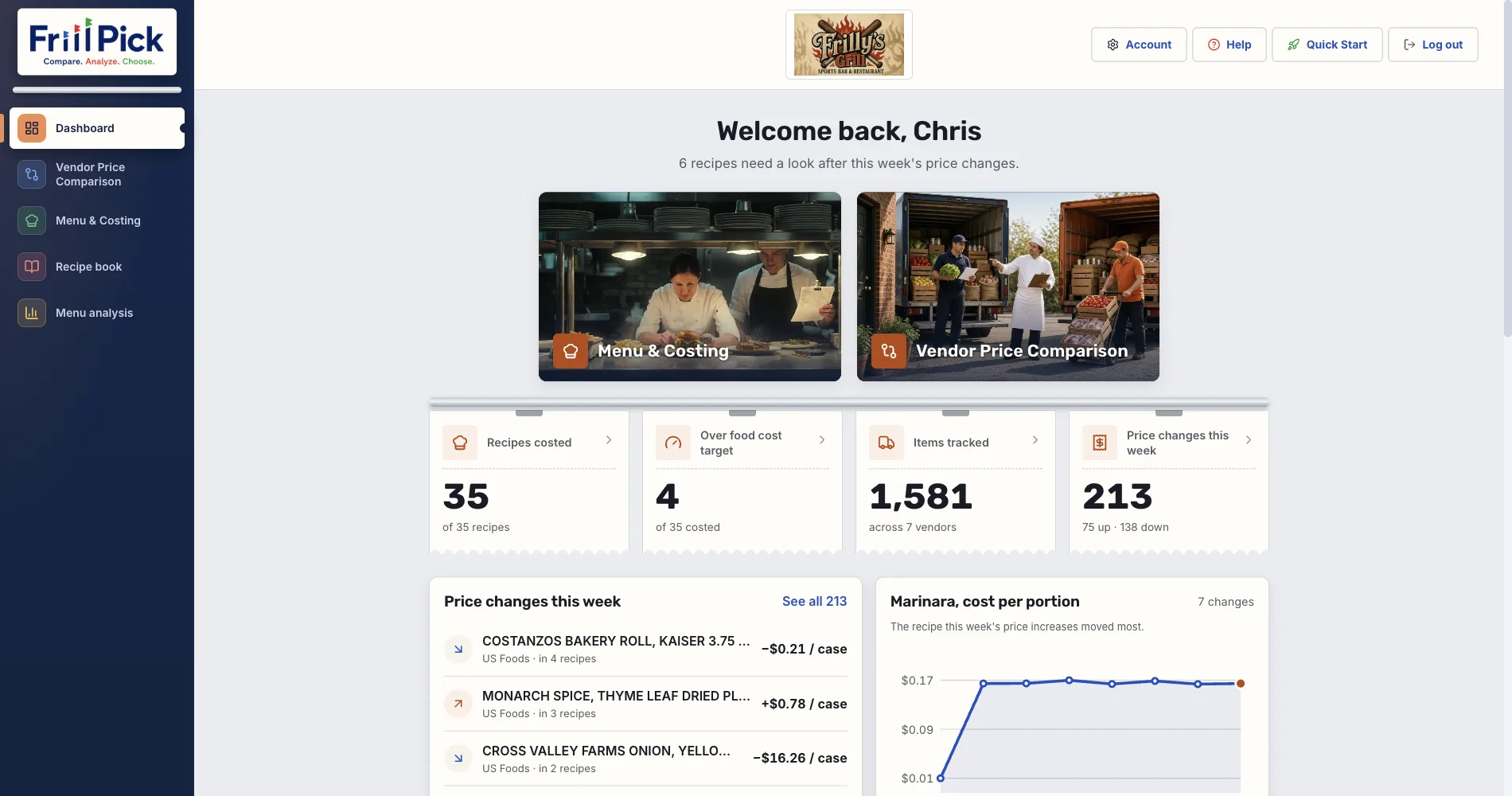
- Upload again when prices change. Prices update in place and the old ones are kept as history, so the Dashboard can show what moved this week.
PDF price sheets aren't supported yet. Most ordering portals have an export or download button that gives you a CSV or Excel file.
2. Compare Vendors Side by Side
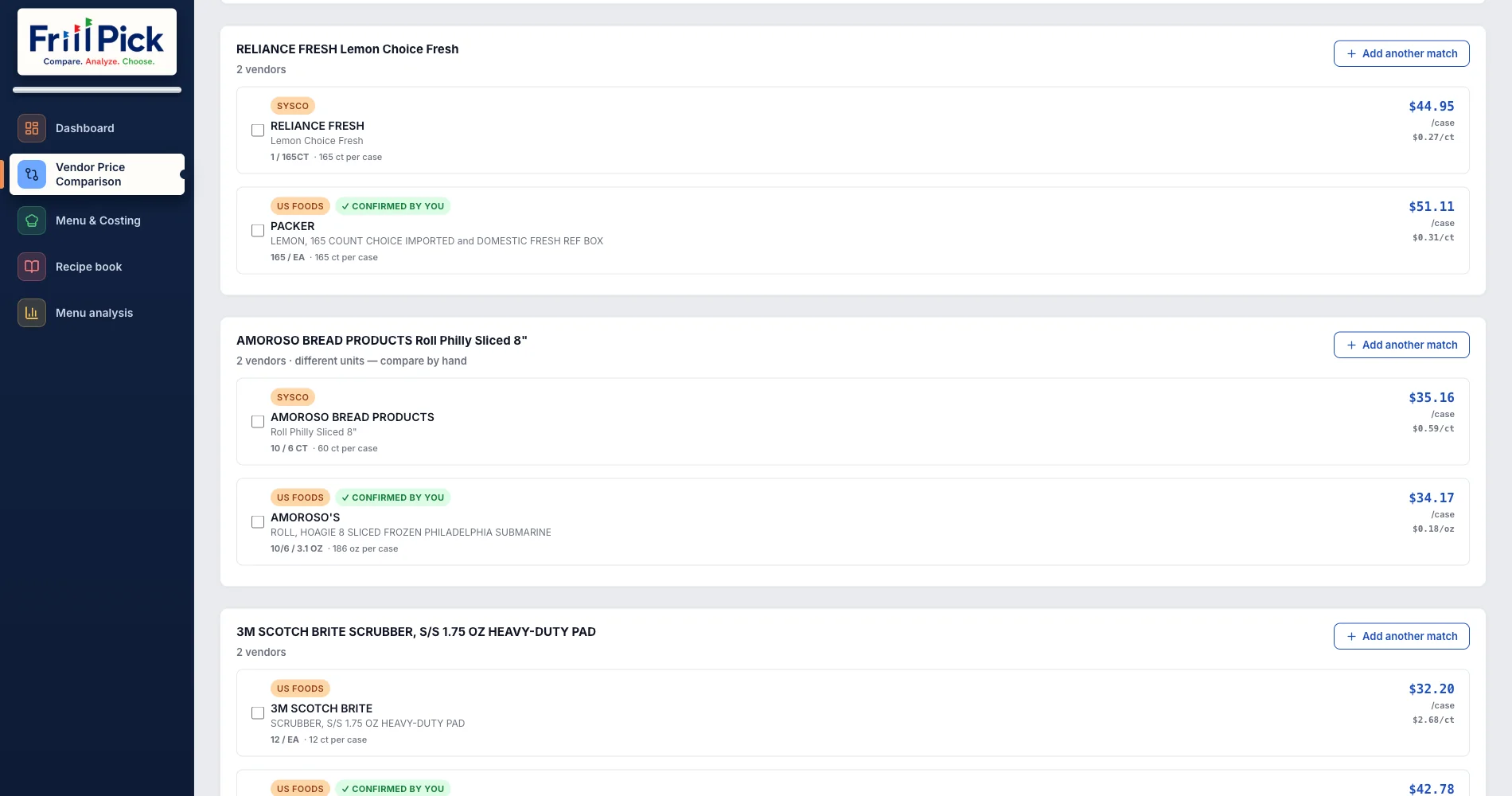
Search an item and every vendor's listing for it shows up together, with the case price and the price per unit in the vendor's own unit, like $0.058/oz. When pack sizes differ, the per-unit price is what lets you compare them.
FrillPick suggests items that might be the same product across vendors. You confirm the ones that are, and they're saved under My Comparisons. FrillPick doesn't pick a winner: a cheaper case isn't always the better buy, and you know your kitchen.
Add the items you want to a pick list, then print or export it to take to your order.
3. Cost Your Recipes
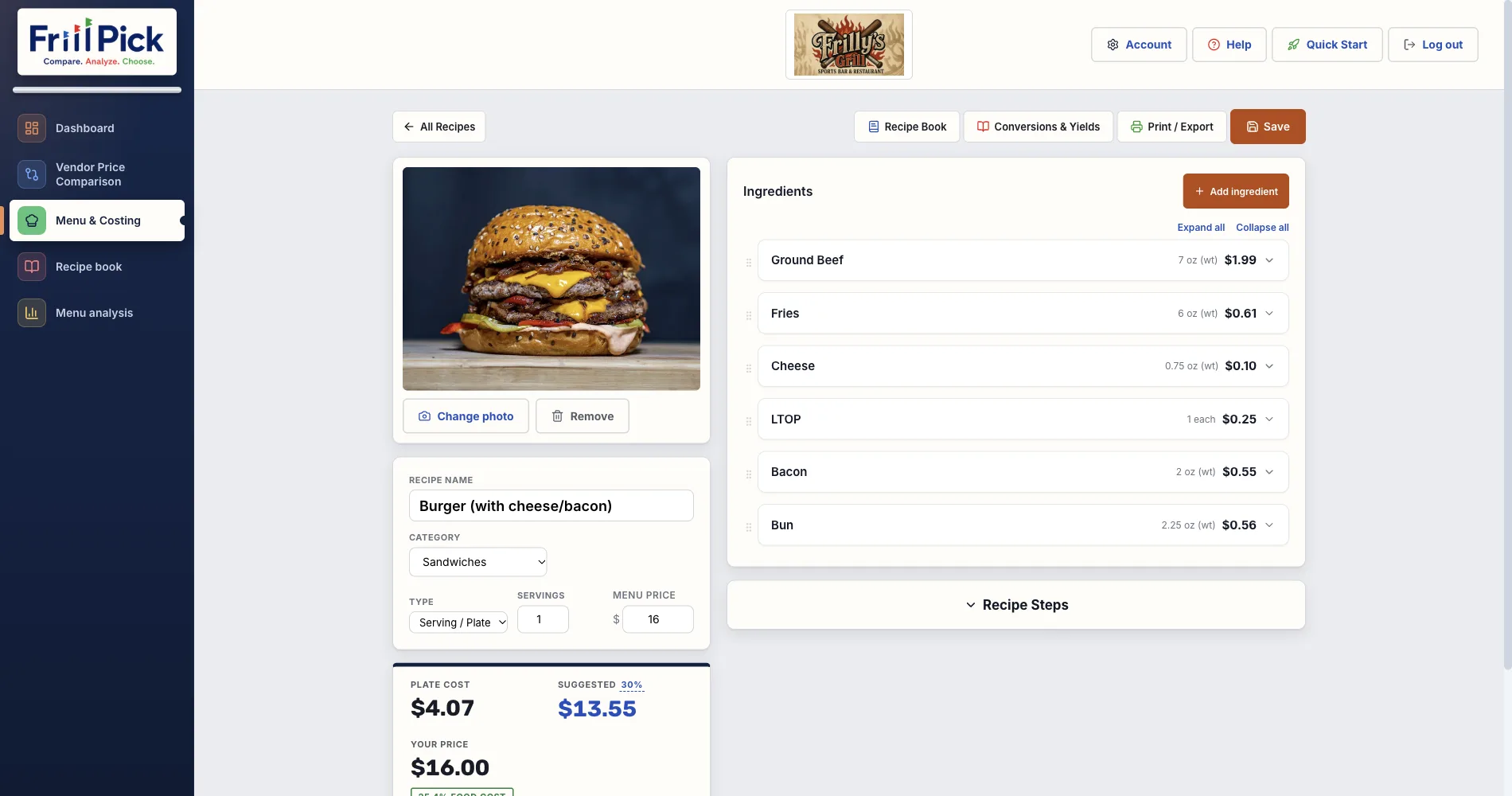
Build a recipe from the items you've uploaded. FrillPick works out each ingredient's cost from the listed price and the pack and size, then totals the plate cost and shows your food cost % against your menu price. More on this on the recipe costing software page.
- Sauces, doughs and other prep. Cost them once as a batch recipe, then use them as an ingredient in any dish.
- Items you don't buy from a vendor. Enter a price yourself, like something from the farmers market.
- Nothing is guessed. If FrillPick can't cost a line, because a size is unreadable or a unit can't convert, it flags the line and leaves it out of the total rather than counting it as zero.
- Getting recipes in. Type them, or import one from a photo or document and check what it read.
4. Keep a Recipe Book
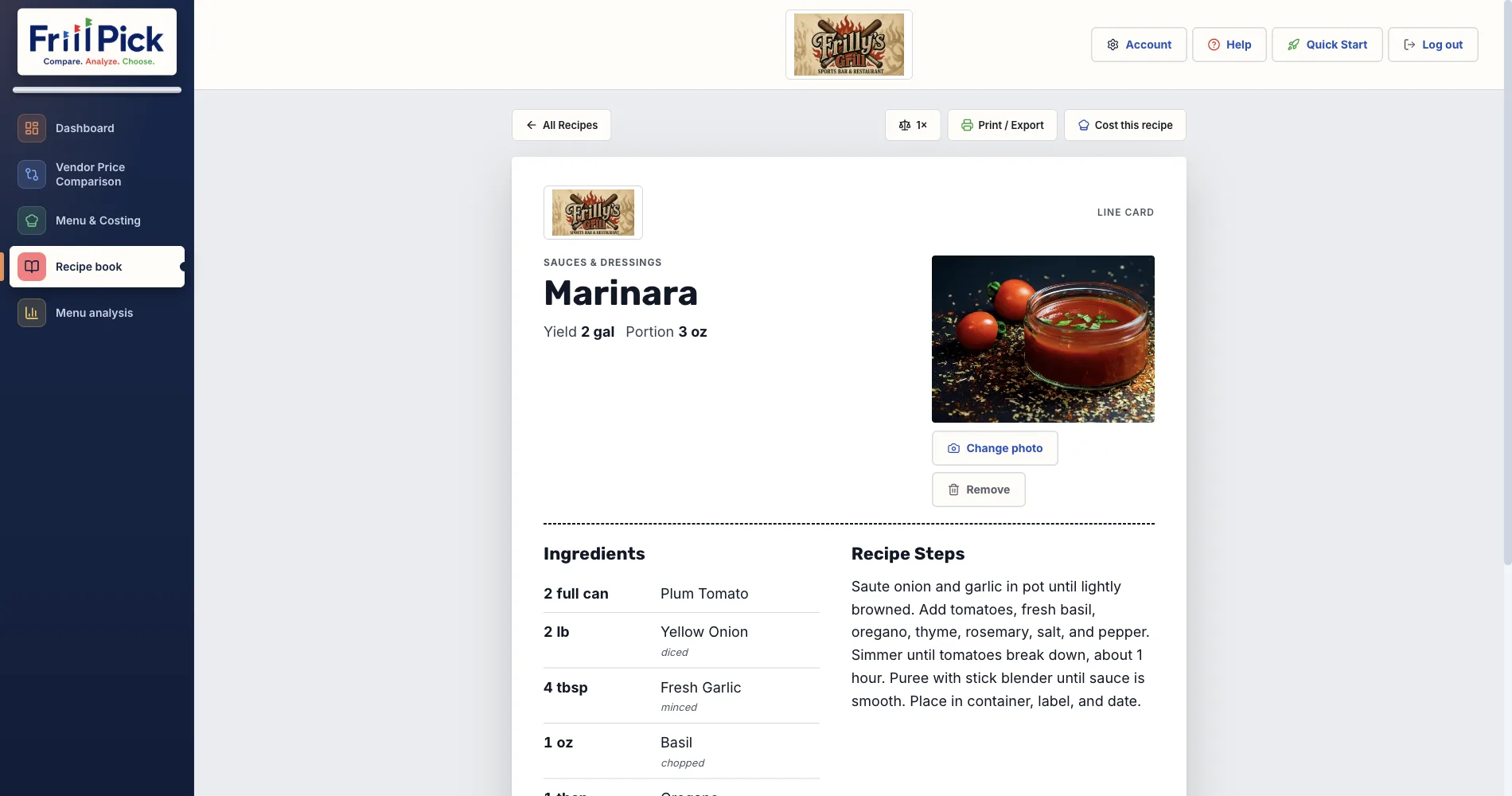
Every recipe lives in the Recipe book with its photo and steps. Print line cards your kitchen can follow, with or without costs, or export recipes to PDF, Word or text. More on the recipe management page.
5. Check Your Whole Menu
Menu analysis lists every dish with its cost, menu price, food cost % and profit, sorted or filtered by category, and flags the dishes over your target. The Trends tab shows how each recipe's cost has moved as your prices changed. Print it, or export it to Excel. More on the menu cost analysis page.
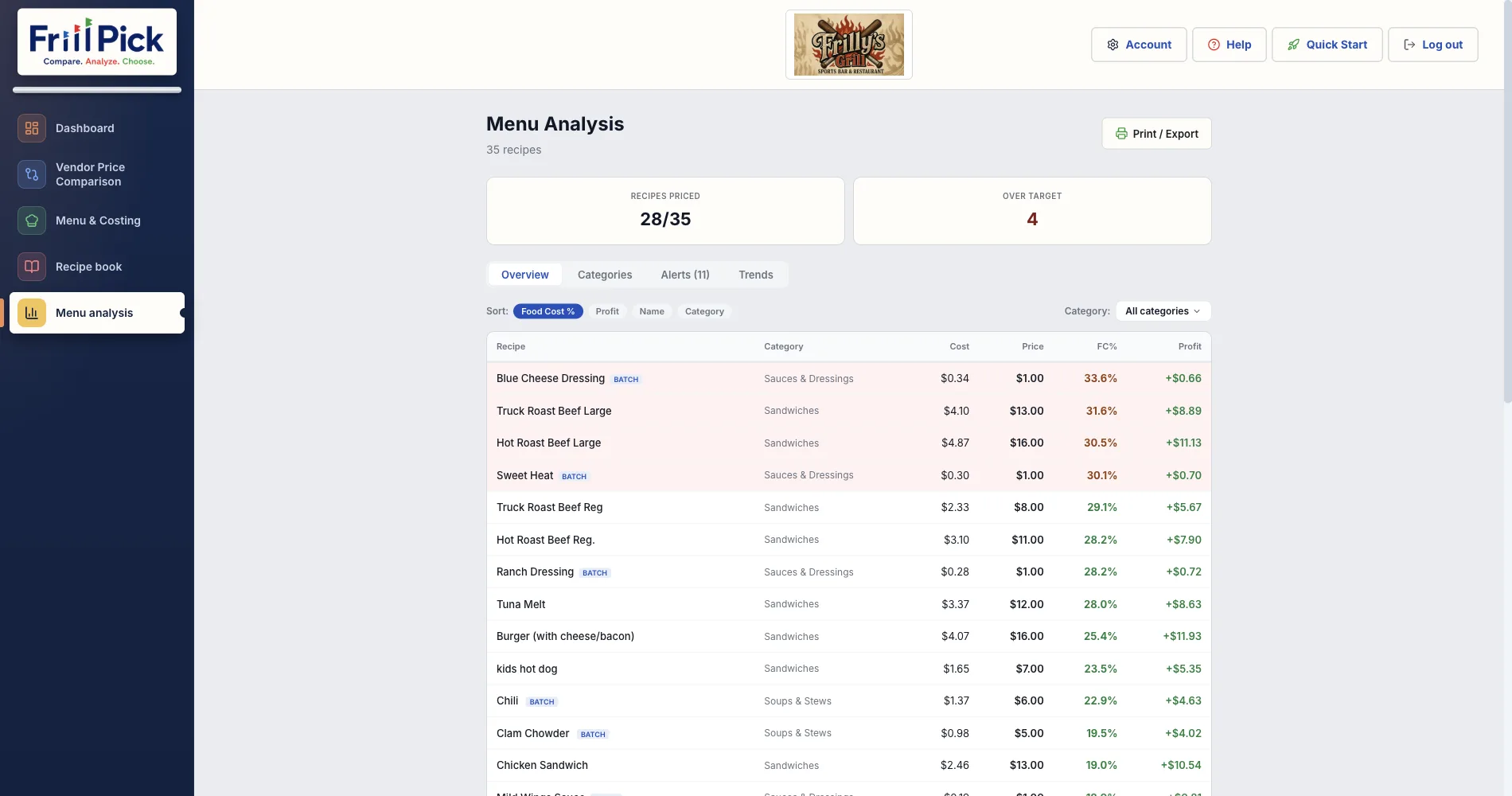
FrillPick doesn't know how many of each dish you sell, so it shows what each plate costs and earns, not which dishes make you the most money overall.
What FrillPick Doesn't Do
So you know before you sign up:
- No ordering. The pick list is for you to print or export; you place the order with your vendor.
- No inventory counts.
- No POS or sales data.
- No invoice scanning. Prices come from the price files you upload.
- No nutrition or allergen information.
What You Need to Start
- A price file from at least one vendor, as CSV or Excel.
- A few of your recipes, with amounts.
- A card for the 14-day free trial. You're not charged until it ends, and you can cancel before then. Details are on the pricing page.
See Your Own Prices Side by Side
Upload the price files you already get, compare your vendors, and cost your first recipe from real prices.
Start Free Trial14-day free trial, then $20/month · Works with any distributor CSV or Excel file
Frequently Asked Questions
What files does FrillPick accept?
CSV and Excel (.xlsx or .xls) price files, the kind most distributor ordering portals export, including Sysco, US Foods, GFS, Performance Food Group and Cheney Brothers. PDF price sheets aren't supported yet.
Do I have to map the columns in my price file?
No. FrillPick reads the columns itself. When it isn't sure it read a file right, it shows you what it found and asks you to check before anything is saved.
Does FrillPick tell me which vendor is cheapest?
No. It puts each vendor's listing side by side, with the case price and the price per unit in the vendor's own unit, and suggests items that might match. You confirm the matches and decide who to buy from.
What happens to my recipe costs when prices change?
Upload the new price file and every recipe that uses those items updates. Any ingredient FrillPick can't cost is flagged on the recipe and left out of the total, never counted as zero.
Can FrillPick place orders or track inventory?
No. You can build a pick list and print or export it, but you place the order with your vendor yourself. FrillPick doesn't count inventory or connect to a POS.
How much does FrillPick cost?
$20 a month after a 14-day free trial, with every feature included. A card is required at sign-up and you can cancel anytime.
About the author: Chris is an independent restaurant owner and the founder of FrillPick, a price comparison, menu costing and recipe tool built for fellow operators.