Free Recipe Costing Template (Excel and Google Sheets)
This free Excel template costs a recipe from your own invoice prices. Type what you pay and how much the recipe uses, and it works out cost per portion, food cost %, and the menu price that hits your target. No sign-up, no email.
Works in Excel, Google Sheets and Numbers. Includes a blank recipe card, a filled-in example and a unit table.
Knowing what a plate costs you is the first step to pricing it right. Most kitchens guess, or worked it out once years ago and never updated it. This template uses the standard recipe costing method, set up so you only type in the numbers from your invoice.
What's in the Template?
The file has three sheets:
- Recipe: a blank recipe card with room for 25 ingredients. You type in the yellow cells; the gray cells calculate and are locked, so a formula can't be typed over by accident. The results sit at the top, next to the recipe details.
- Example: the same card filled in for a batch of 10 house burgers, so you can see how each number is built. The prices are made up for the example, not real vendor prices.
- How to use: short steps and a unit table for converting what you buy into what the recipe uses.
Each ingredient row works across these columns:
| Column | You type or it calculates | What it means |
|---|---|---|
| Purchase price | You type | What you pay, from your invoice or price sheet |
| Purchase quantity | You type | How much that price buys, like 10 for a 10 lb case |
| Purchase unit | You pick | From a dropdown: lb, oz, gal, fl oz, each and more |
| Cost per unit | Calculates | Purchase price ÷ purchase quantity |
| Recipe amount | You type | How much the recipe uses, in the same unit you buy in |
| Recipe unit | Calculates | Repeats the purchase unit, so you know which unit to use |
| Usable % | Starts at 100% | Lower it for anything you trim or peel |
| Line cost | Calculates | Recipe amount × cost per unit ÷ usable % |
The Formulas Behind It
Nothing in the template is hidden. These are the formulas it uses, in plain words:
Cost per unit = Purchase price ÷ Purchase quantity
Line cost = Recipe amount × Cost per unit ÷ Usable %
Total recipe cost = sum of every line cost
Cost per portion = Total recipe cost ÷ Portions
Food cost % = Cost per portion ÷ Menu price
Price for your target = Cost per portion ÷ Target food cost %
In the example, the 10 burgers cost $22.51 in total, or $2.25 a portion. At a $14.00 menu price that's a 16.1% food cost. To hit 30%, the price would only need to be $7.50.
How to Fill It In
- Start with the recipe details. Name, how many portions the recipe makes, your menu price, and your target food cost %.
- Enter what you pay. Take each ingredient's price straight from your latest invoice or price sheet. A $48.90 case of 10 lb ground beef is price 48.90, quantity 10, unit lb.
- Enter what the recipe uses, in the same unit. If you buy beef by the pound, enter the recipe amount in pounds: four 4 oz patties is 1 lb. The Recipe unit column next to it shows which unit to use. The unit table on the How to use sheet covers the common conversions.
- Lower the usable % for anything you trim. It starts at 100%. Onions that lose 10% to peeling are 90% usable, so a pound of usable onion costs more than a pound off the invoice. In the example, $0.44 a pound becomes $0.49.
- Read the results at the top. Total cost, cost per portion, food cost %, the price for your target, and profit per portion all fill in on their own.
Mistakes That Make a Recipe Cost Wrong
- Mixing weight and volume. An ounce of weight and a fluid ounce are not the same thing, except for water. If you buy mayonnaise by the gallon, cost it in fluid ounces, not ounces on a scale.
- Mixing units in one row. Buying by the case of 48 and entering the recipe amount in dozens gives a number that looks fine and is off by 12 times. Keep each row in one unit.
- Ignoring trim and peel loss. Whole produce and whole proteins lose weight before they hit the plate. Skip the usable % and those lines come out too cheap.
- Leaving out the small stuff. Oil, butter, seasoning and garnish add up across hundreds of plates. The template counts any ingredient you list without a price and tells you it's missing from the total, rather than quietly treating it as zero.
- Using a per-pound price as a case price. Some meat and seafood is invoiced by the pound. If the price is per pound, enter quantity 1 and unit lb, not the case.
The formulas are the easy part. A recipe cost is only as current as the prices you typed in, and vendor prices move every week. Put a date at the top of each sheet so you know how old the numbers are.
When a Spreadsheet Stops Keeping Up
For one recipe, or a handful you check now and then, a spreadsheet is the right tool. It gets harder once you have dozens of recipes and weekly price sheets from more than one vendor. Every price change means finding the item and retyping it, on every recipe that uses it. We wrote about where spreadsheets fall short for vendor price comparison.
What FrillPick Adds for Menu Costing
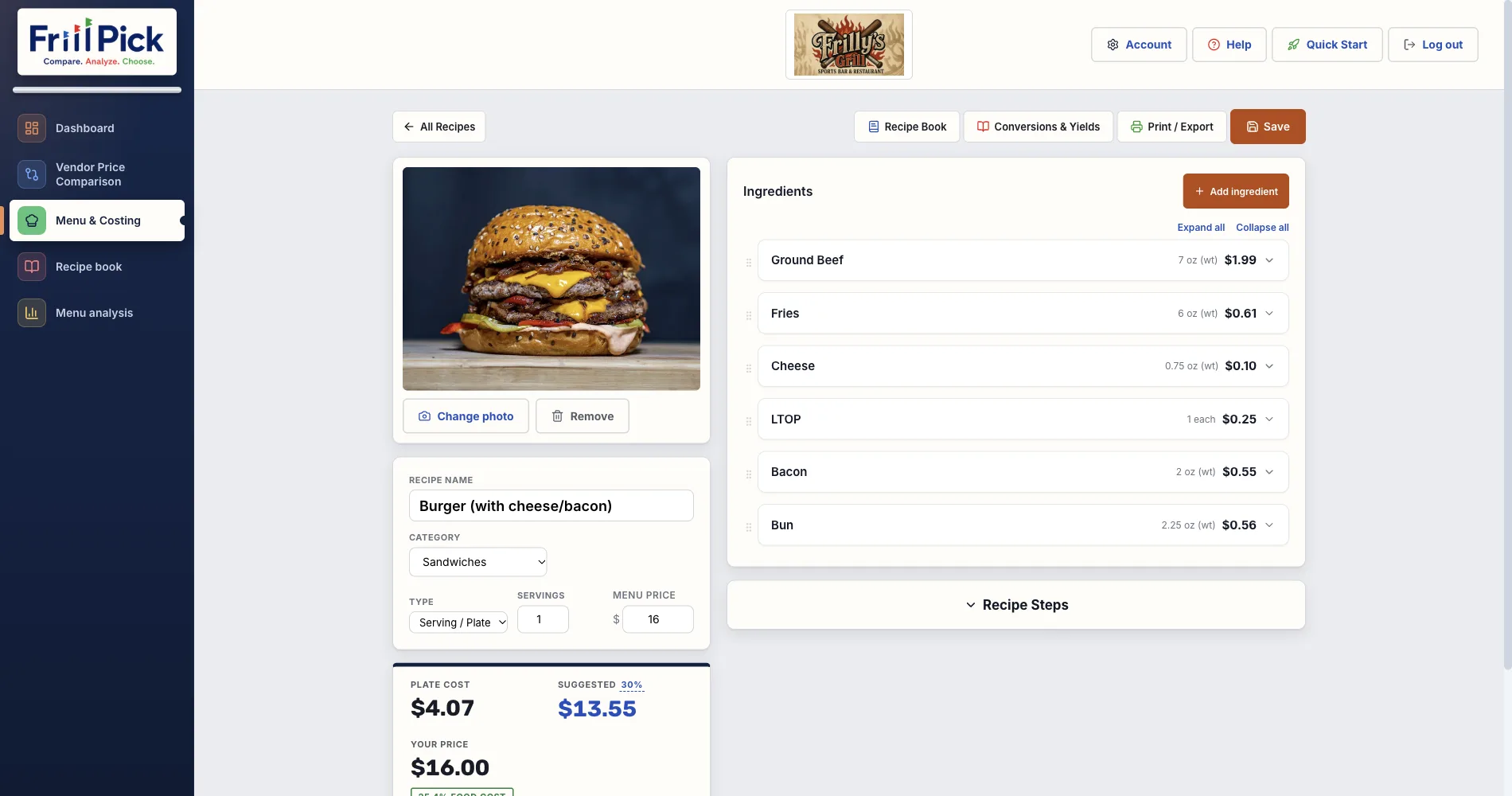
FrillPick does the same math as this template, inside an app built for it (see how FrillPick's recipe costing software works). Here's what changes when you move a recipe out of the spreadsheet:
| This template | FrillPick | |
|---|---|---|
| Where prices come from | You type each one in | The price files your vendors already send, like Sysco, US Foods or GFS |
| When prices change | Find and retype the price on every recipe | Upload the new file; every recipe using those items updates |
| Sauces, doughs and other prep | A separate sheet you link by hand | Cost it once as a batch recipe, then use it as an ingredient anywhere |
| Missing or old prices | Counted and left out of the total | Left out and flagged on the recipe; a line priced from your last sheet shows that price and its date |
| Your whole menu | One sheet per recipe | Menu analysis: food cost % and profit for every dish, filtered by category |
| Cost over time | Not tracked | Trends shows how each recipe’s cost has moved as your prices changed |
| Getting recipes in | Typed by hand | Type them, or import one from a photo or document and check it |
| Recipe cards | Print the sheet | Recipe book with photos; print or export to PDF, Word or text |
Items that aren't on a vendor list, like something from the farmers market, take a price you enter yourself. FrillPick is $20 a month after a 14-day free trial.
Menu Costing That Keeps Up With Your Prices
Upload the price files you already get. FrillPick costs every recipe and sub-recipe from them, updates the costs when prices change, and shows food cost % and profit across your whole menu.
Start Free Trial14-day free trial, then $20/month · Works with any distributor CSV or Excel file
Frequently Asked Questions
Is the recipe costing template free?
Yes. It's a free Excel file with no sign-up and no email required. Download it, fill it in, and keep it.
Does it work in Google Sheets or Numbers?
Yes. It's a standard .xlsx file. In Google Sheets, use File, then Open, then Upload. Numbers on a Mac opens it directly. The formulas carry over.
How do you calculate the cost of a recipe?
For each ingredient, divide what you paid by how much it bought to get the cost per unit. Multiply by the amount the recipe uses, and divide by the usable percentage if you trim or peel it. Add up every ingredient, then divide by the number of portions to get the cost per portion.
How do I set a menu price from recipe cost?
Divide the cost per portion by your target food cost percentage. A $2.25 portion at a 30% target needs a menu price of $7.50. The template does this for you in the Price for target food cost line.
What food cost percentage should I aim for?
It depends on your concept. Full-service restaurants commonly run 28 to 35%, fast casual 25 to 30%, and bars lower. Our food cost percentage benchmarks page breaks it down by restaurant type.
About the author: Chris is an independent restaurant owner and the founder of FrillPick, a price comparison, menu costing and recipe tool built for fellow operators.